














CRM
Every lead followed up, every deal visible.
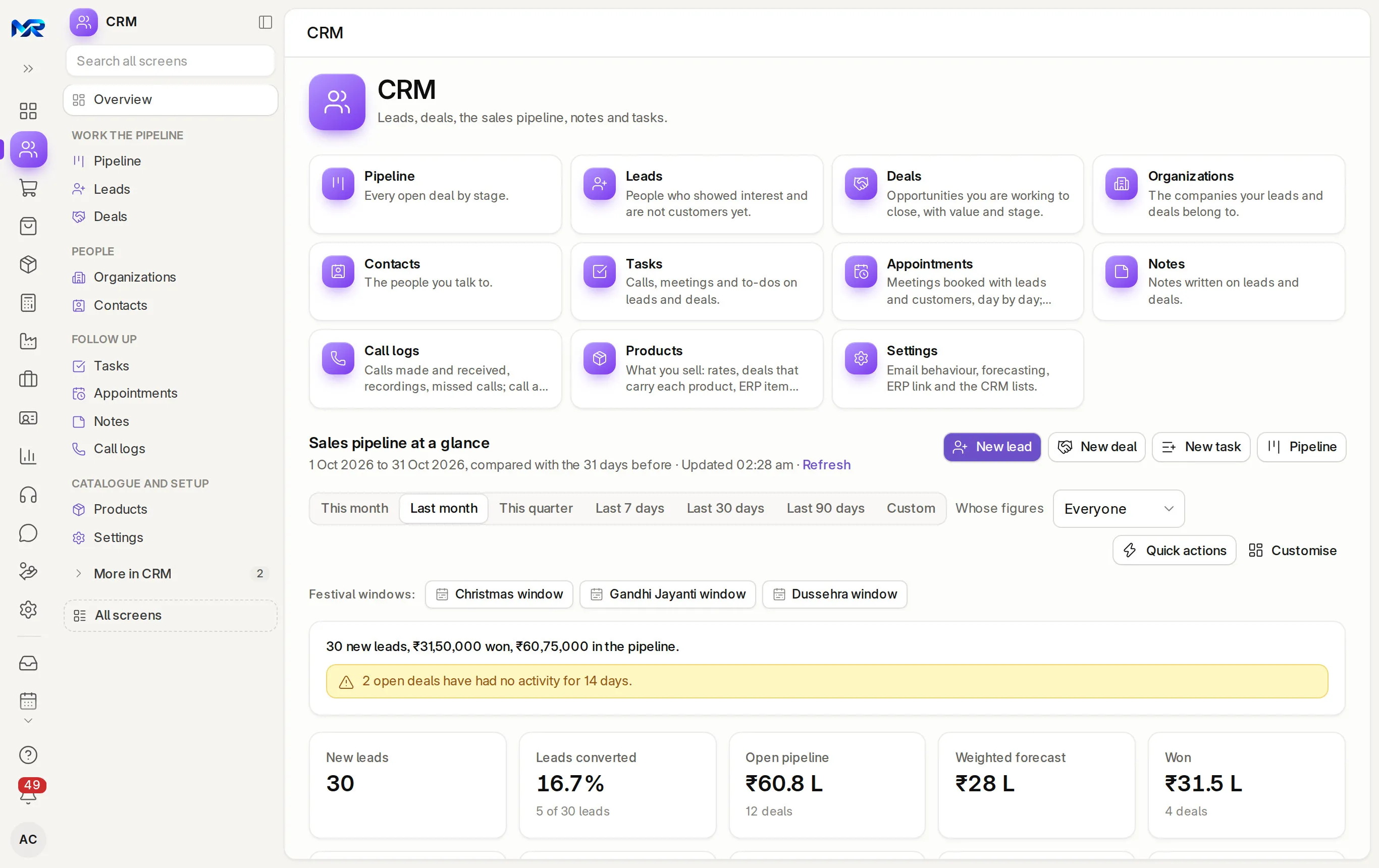
Leads, deals and a pipeline board. Today’s follow-ups come first; won deals become customers in your books.
- Works today on the demo company
- Live demo sign-in from us, on request
- Your server or MyRecords Cloud
- Built for you
- Customised
- to your requirements, by our team
- Users
- Unlimited
- no per-user fees, on any module
- Runs on
- Your server or MyRecords Cloud
- a dedicated system, in any country
What it fixes
What changes with CRM.
In short
CRM in MyRecords keeps leads, deals, organizations and contacts, with every call, e-mail, note and task on one timeline. Deals move across a pipeline board by stage, and the CRM home lists what needs following up today. When a deal is won, "Create customer in ERP" makes the customer, so Sales can quote and invoice without typing it again.
-
Before: Leads come in on WhatsApp and get forgotten.
With CRM: Every lead gets a stage, an owner and a next task. The “Leads awaiting a reply” and “No change in 14 days” lists catch the rest.
-
Before: Nobody knows what is in the pipeline this month.
With CRM: A pipeline board by stage, with deal value, a weighted forecast and the deals closing this month.
-
Before: When a salesperson leaves, the customer history leaves with them.
With CRM: Calls, e-mails, notes and tasks sit on the lead or deal, so the next person reads the whole story.
-
Before: Won deals are typed again into the billing software.
With CRM: “Create customer in ERP” turns the deal's organization into a customer you can quote and invoice.
What it does
What CRM does for you.
Everything here works today on the demo company, except where a tag says it needs your account or works in part.
- 01
Leads
A stage path from New to Qualified (or Unqualified, Junk), with Lead age, Lead score, Temperature and Source, and one timeline of e-mails, calls, notes and tasks. Possible duplicates are flagged; Convert to deal carries the organization and contact over.
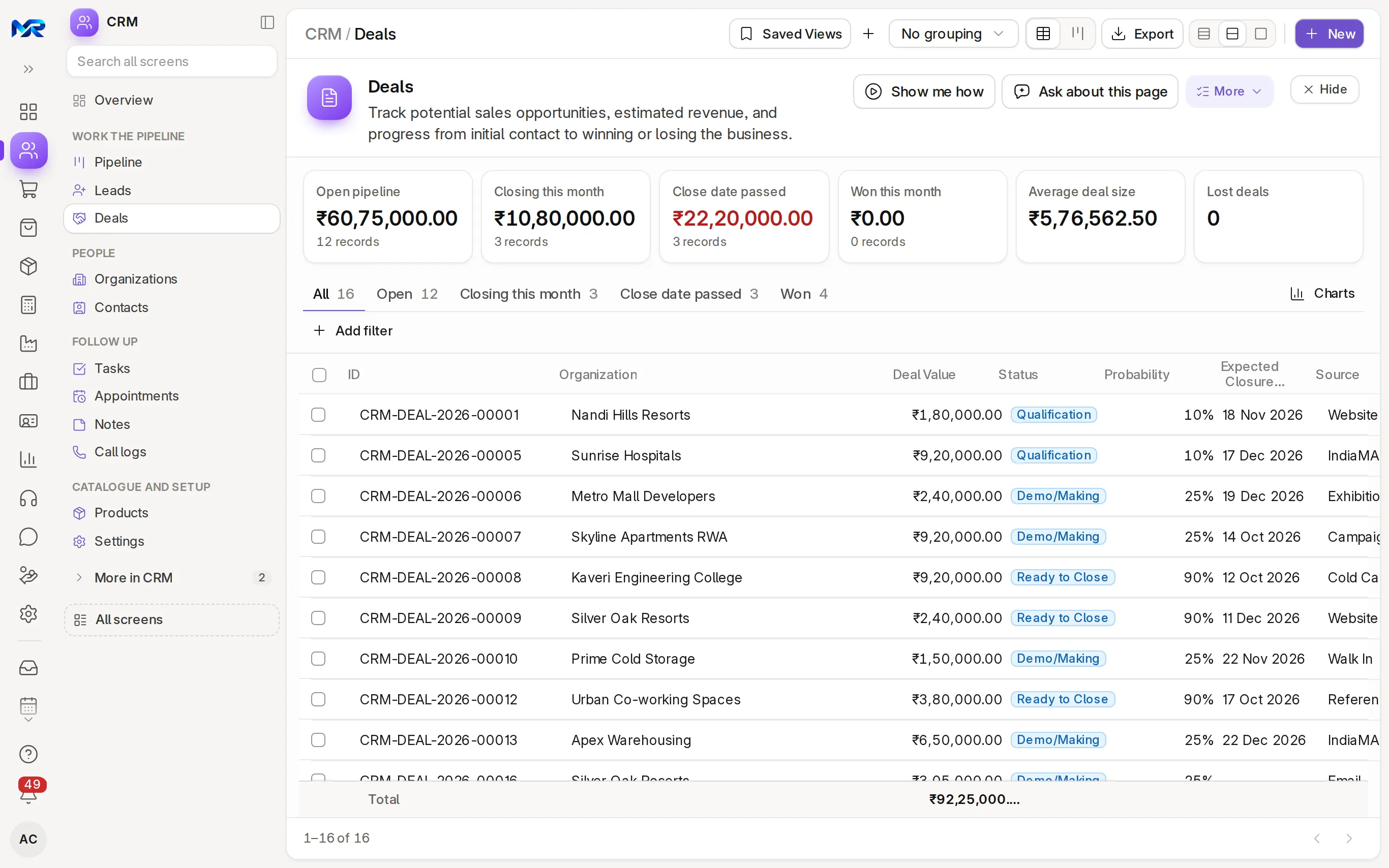
Deals on the sample company. - 02
Deals and pipeline board
Deals with value, probability and expected close on a board you drag between stages; leads get a board too. Each card shows its chance of winning, from how your similar deals closed. Saved boards, a grouped view, bulk and keyboard moves, and an Excel export.
- 03
Follow-ups that come to you
The CRM home lists My tasks due, Closing this month, Close date passed, No change in 14 days and Leads awaiting a reply. Auto-assignment shares out new leads, reply deadlines (SLA) flag late ones, and Automations assign, set a field, send an e-mail or create a task.
- 04
From deal to customer
Products on the deal (kept in step with your ERP items), then Create quotation. Create customer in ERP brings its organization, contacts and address over. Request advance (UPI) from your own UPI ID, and Record advance received when it comes.
- 05
E-mail, WhatsApp and templates
Send e-mail with Cc, Bcc and templates filled from the lead or deal, or open a WhatsApp chat with one tap. The e-mail stays on the timeline for the next person.
- 06
Lead capture forms
A form as a link, an embed code for your website, a WhatsApp share or a printed QR code for the counter or a trade-fair stall. Each entry becomes a lead.
- 07
Appointments
A week of meetings; Book appointment links each slot to a lead, deal or customer. An online booking page for customers, e-mail reminders, Mark attended or Mark no-show, and a no-show risk per meeting. WhatsApp reminders once WhatsApp is connected.
- 08
AI help
Summarise a lead or deal, Draft a follow-up (e-mail or WhatsApp, in English, Hindi or Hinglish) and Scan a visiting card. AI suggests a lead's source, industry and temperature from their last e-mail. On a deal, ask it a question, or use Find products, Probability or Lost reason; Prep me before a meeting; Draft with AI writes a product's description. A person checks every suggestion. With the AI Assistant add-on.
- 09 Once connected
Calls
Click to call through Exotel, or call from the browser with Twilio, with call logs and recordings, once you connect your account. AI can summarise each recording. Calls can be logged by hand today.
- 10 Once connected
Lead sources
Leads from Facebook and Instagram lead ads and IndiaMART enquiries arrive by themselves, once you connect those accounts.
India compliance
For businesses in India, built in.
India is our first fully supported market. Each line says whether it works today, once you connect your account, or in part.
Outside India
Outside India, everything else on this page works the same in your own currency. These lines are extras for businesses in India.
What works in your country- Works today
Festival windows
Pick the weeks around Dussehra, Gandhi Jayanti or Christmas as the reporting period, taken from your holiday list.
- Works today
GSTIN on organizations
Organizations keep their addresses with GSTIN. A duplicate is flagged by name (ignoring "Pvt Ltd") or by website.
- Works today
UPI advance link
Ask a customer for an advance with a UPI link from your company's UPI ID; record it as a draft payment when the money arrives.
- Works today
Rupees, lakh and crore
Deal values and the pipeline in ₹ with lakh and crore grouping.
- Once connected
IndiaMART enquiries
Enquiries become CRM leads, pulled every 15 minutes or pushed the moment they arrive, once you connect your IndiaMART account.
Try it
See it work on sample data.
We show you the live system on a call, signed in as the demo company's sales manager: the CRM home, the pipeline board and a lead's timeline. Ask for a demo sign-in to explore it yourself, or join the pilot programme and load your own leads.

Reports and roles
What you see, and who sees it.
Reports come ready on day one. Each person sees only the screens and records their role allows.
Reports you get
- Open pipeline by stage
- Won and weighted forecast by close month
- Funnel by stage
- Why deals were lost
- Win rate and average won deal
- Days to close a deal or a lead
- Leaderboard by salesperson
- Leads by source and territory
- Deals by territory and source
- Call logs, with missed incoming calls
Who sees what
- Sales Manager
- See everyone's leads and deals, the leaderboard and forecast; change CRM settings and stages.
- Sales User
- Work their own leads and deals and see their own figures; in the sales hierarchy, also those of the people below them.
- Owner
- See the whole pipeline and the forecast.
- Accountant
- Work with the customer once the deal is won; the pipeline only if their role allows it.
Before you decide
What works today, and what does not.
Said plainly, so you can plan around it. What comes next is on the roadmap.
Works today12
On the demo company, now.
- Leads
- Deals and pipeline board
- Follow-ups that come to you
- From deal to customer
- E-mail, WhatsApp and templates
- Lead capture forms
- Appointments
- AI help
- Festival windows
- GSTIN on organizations
- UPI advance link
- Rupees, lakh and crore
Once you connect3
Built in; needs your own account with the provider.
- Calls
- Lead sources
- IndiaMART enquiries
Not in CRM yet
Left out on purpose, or planned.
- JustDial and TradeIndia leads. They publish no API for it.
- Shopify or marketplace connectors.
- On a phone
- Works in any phone browser and installs to the home screen. On a phone the pipeline shows one column per screen with stage chips. CRM needs a connection.
- Bringing data in
- Leads, organizations and contacts from Excel or CSV through Import data: Check the columns first, fix and re-import any rows that fail, and undo an import that created new records.
- Getting data out
- Every list exports to Excel or CSV, and the pipeline board to Excel (stage summary and cards). On your own server, the database is yours.
- Integrations
- Live today: lead capture forms, e-mail, WhatsApp chats from the record and UPI advance links. Once you connect your accounts: Facebook and Instagram lead ads, IndiaMART, Exotel or Twilio calls, and WhatsApp Business reminders and replies. AI help needs the AI Assistant add-on.
- Where it runs
- Runs as your own dedicated system: on your server under an AMC, or on MyRecords Cloud for a monthly fee. Your customer list stays in your system, and you can export everything when you leave. Data ownership and exit
Questions
Questions people ask
Something else on your mind?
Ask us anything about modules, a quote or moving across. A person from our team replies.
Ask a question01Can leads come straight from our website?
Yes. Make a lead capture form and share it as a link, an embed code on your site, on WhatsApp or as a QR code at your counter. Each entry becomes a lead.
02Does it work with IndiaMART?
Yes, once you add your IndiaMART CRM key in CRM settings during setup. Enquiries are pulled every 15 minutes, and IndiaMART's Push API can send each one the moment it arrives.
03Can salespeople see each other's leads?
That depends on the role. A Sales User works their own leads and deals; a Sales Manager sees everyone's. In the sales hierarchy, a manager sees the leads and deals of everyone below them.
04Can we call customers from CRM?
Calls can be logged by hand on any lead or deal today. Click to call, calls from the browser and call recordings work through Exotel or Twilio once you connect your account.
05What happens when a deal is won?
Press "Create customer in ERP" on the deal. Its organization, contacts and address become a customer in ERP, so Sales can quote and invoice it.
06Does CRM use AI?
With the AI Assistant add-on, yes. It summarises a lead or deal, drafts a follow-up, reads a visiting card, suggests a lead's source, industry and temperature, suggests products, a probability and the lost reason, summarises call recordings, and writes a brief before a meeting. A person checks and saves every suggestion. The lead score and chance of winning are worked out from your own records, without AI.
07Is there a per-user charge?
No. Users are unlimited on every module. You pay for the modules you switch on, never per salesperson.
08Can it bring in leads from Facebook ads?
Yes, from Facebook and Instagram lead ads once you connect your Facebook page. It is its own small module on top of CRM. See Facebook lead sync.
Last updated Applies to MyRecords 3 Nov 2026 release
Next step
See it on your own numbers.
A live demo on our sample company, with the modules you would switch on. Or ask us for a quote first.
Live demo
Book a walk-through
- On our sample company, for your kind of work
- A quote for the modules you need
- Your questions, answered by our team