















For operations teams
Stock, purchase and dispatch that agree.
Warehouses, batches, reorders, receipts and dispatch on the same records as the books.
- Unlimited users
- Pay only for the modules you use
- Core ready in 1–2 weeks
- Customised to your requirements
In short
For operations, MyRecords keeps stock by warehouse and batch, suggests what to reorder from the last 90 days of use, takes purchase orders through goods receipts to the supplier's bill, and sends deliveries out on delivery trips with vehicle and LR numbers (and e-way bill files in India). Production runs from work orders and job cards, with a shop-floor screen that keeps working when the network drops.
Before and after
What gets easier.
The same jobs, done once, on one set of books.
-
Today: Fast movers run out while slow ones pile up.
With MyRecords: Reorder lists what is at its reorder level; Smart qty suggests about a month of the last 90 days' use, and Stock ageing shows what has sat longest.
-
Today: Goods arrive and nobody checks them against the order.
With MyRecords: Goods receipts are made from the purchase order, with a quality inspection on each row if you turn it on.
-
Today: Supplier bills and indents are typed by hand.
With MyRecords: With the AI Assistant, Read a bill turns a scanned bill into a draft, and a material request fills from a sentence, a voice note or a photo of a paper indent.
-
Today: Dispatch and the e-way bill are done twice.
With MyRecords: The delivery note carries vehicle and LR numbers, and the e-way bill upload file is made from the same bills.
5 steps
Your work, step by step.
One record moves through every step, so nobody types it twice. Read the steps, or watch the same work run on sample data.
-
Reorder
Work the Reorder list and raise purchase orders by supplier in one pass, or material requests first.
Purchasing -
Check quality
Inspect incoming rows against a quality inspection template; record a non-conformance for what fails.
Quality -
Produce
Work orders transfer material, and job cards are started, paused and completed on the Shop floor screen.
Manufacturing -
Dispatch
Delivery notes with vehicle and LR numbers, delivery trips with the driver and stops, proof of delivery, and the e-way bill upload file.
Sales
Filter coffee powder 500 g
FCP-500 · Nos · Kaveri Agencies
- In stock320 Nos
- Value₹76,800.00
- Expiry4 Jan 2027
- Warehouses holding it3
Stock by warehouse
| Warehouse | In stock | Value |
|---|---|---|
| Main godown, Mysuru | −40 260 220 | ₹62,400.00 ₹52,800.00 |
| Nanjangud godown | +40 40 80 | ₹9,600.00 ₹19,200.00 |
| Hunsur depot | 20 | ₹4,800.00 |
| Total unchanged | 320 | ₹76,800.00 |
40 packs move from Main godown to Nanjangud. Both godowns change; the total stays 320 packs and ₹76,800.
Sample data for a fictional distributor, Kaveri Agencies, Mysuru.
6 modules
The modules to switch on.
Most teams like yours start here. Every module shares one set of books, one login and one list of customers and items.
- Inventory Stock by warehouse, batch, expiry and serial, with reorder alerts.
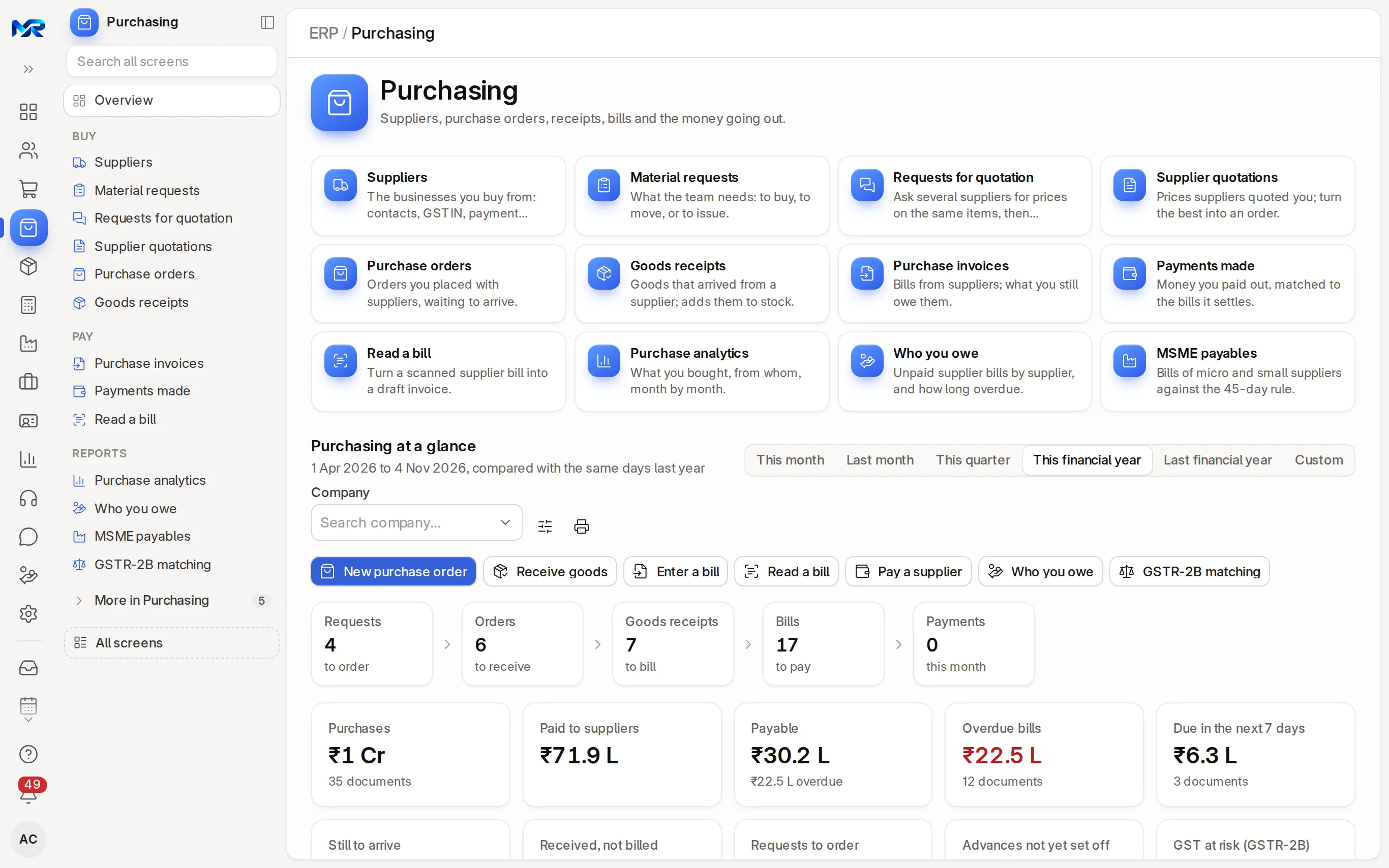
- Purchasing Material requests to supplier payments, with AI bill reading.
- Sales Quotation to payment in one connected chain.
- Manufacturing BOMs, work orders and a shop-floor screen that works offline.
- Quality Incoming, in-process and outgoing checks, and non-conformance.
- India compliance India’s GST, TDS and e-invoice files from your own books.
Honest fit
When it is not the right fit.
We would rather say so now than after you have paid.
Compare the options fairly- If you need warehouse scanning devices with their own app, note that MyRecords works in the phone browser; only point of sale, the shop floor, attendance check-in, maintenance visits, asset physical checks and bill photos for "Read a bill" work offline.
- If you need orders pulled in from Amazon, Flipkart or Shopify, those connectors are not built yet.
- If you need e-way bills made from inside the software without connecting an API login, note that MyRecords makes the upload file; direct generation works once you connect your e-way bill API login, from NIC or a GSP.
Questions
Questions people ask
Something else on your mind?
Ask us anything about modules, a quote or moving across. A person from our team replies.
Ask a question01Can I see stock by warehouse and batch?
Yes. Every item shows stock by warehouse, and batches show expiry dates and their movements. Check stock gives on hand, reserved, free to promise and projected for one item.
02How does the reorder list work?
It lists items at or below their reorder level, counting what is on order and requested. Smart qty suggests about a month of the last 90 days' use, never below the reorder quantity.
03Can it read supplier bills?
With the AI Assistant add-on, yes. Snap or upload the bill and check the draft it makes.
04Does the shop floor work without internet?
Yes. The Shop floor screen queues job-card actions offline and sends them when the connection is back.
05Can it make e-way bills?
It checks GSTIN, PIN, HSN and transport details and makes the bulk-upload file for the e-way bill portal, then records the EWB number. Direct generation works once you connect your e-way bill API login, from NIC or a GSP.
06Is there a charge per storekeeper?
No. Users are unlimited.
Last updated
Next step
See it on your own numbers.
A live demo on our sample company, shaped to your kind of work, with your questions answered. Or ask us for a quote first.
Live demo
Book a walk-through
- On our sample company, for your kind of work
- A quote for the modules you need
- Your questions, answered by our team