















Purchasing
Buy right, receive right, pay on time.
Material requests, quotations, purchase orders, goods receipts and purchase invoices in one chain, matched to stock and books.
- Works today on the demo company
- Live demo sign-in from us, on request
- Your server or MyRecords Cloud
- Built for you
- Customised
- to your requirements, by our team
- Users
- Unlimited
- no per-user fees, on any module
- Runs on
- Your server or MyRecords Cloud
- a dedicated system, in any country
What it fixes
What changes with Purchasing.
In short
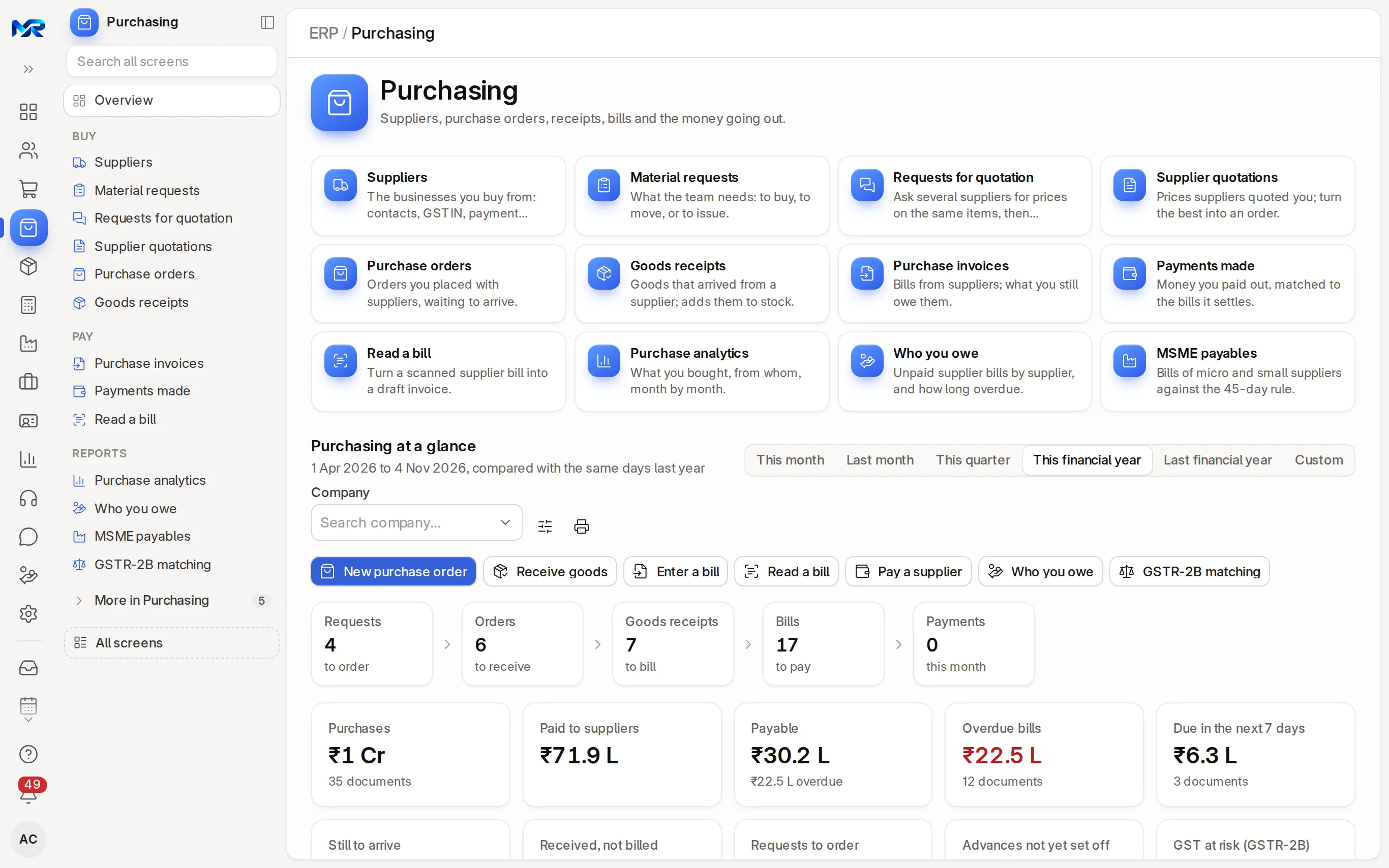
Purchasing is the buying side of MyRecords: material requests, requests for quotation, purchase orders, goods receipts, purchase invoices (supplier bills), payments made and Who you owe. Each document is made from the one before it, so a goods receipt brings stock in at the order's rate and the bill posts to the books. In India, bills are matched with GSTR-2B and bills from MSME suppliers carry the 45-day limit. It is part of the ERP core, with unlimited users.
-
Before: Staff buy without asking; the bill is the first anyone hears of it.
With Purchasing: Purchases start from a material request. Ready-made approvals for requests and purchase orders switch on in one step.
-
Before: A supplier charges more than last time and nobody notices.
With Purchasing: “Check prices” on a purchase order compares each line with the last year's purchases of the item, and the Purchasing home flags items bought 25% dearer.
-
Before: Supplier bills are typed by hand from crumpled paper.
With Purchasing: Snap or upload the bill, or have it e-mailed in; Read a bill drafts it for you to check beside the image.
-
Before: MSME suppliers complain, and the 45-day rule hits your tax.
With Purchasing: MSME payables shows each bill's pay-by date, and Plan payments pays MSME suppliers first within the money you have.
What it does
What Purchasing does for you.
Everything here works today on the demo company.
- 01
Material requests
What your team needs bought, moved or issued, with asked, ordered and received per line. Fill lines from a sales order or the items below reorder level; Order from suppliers makes one draft purchase order per supplier.
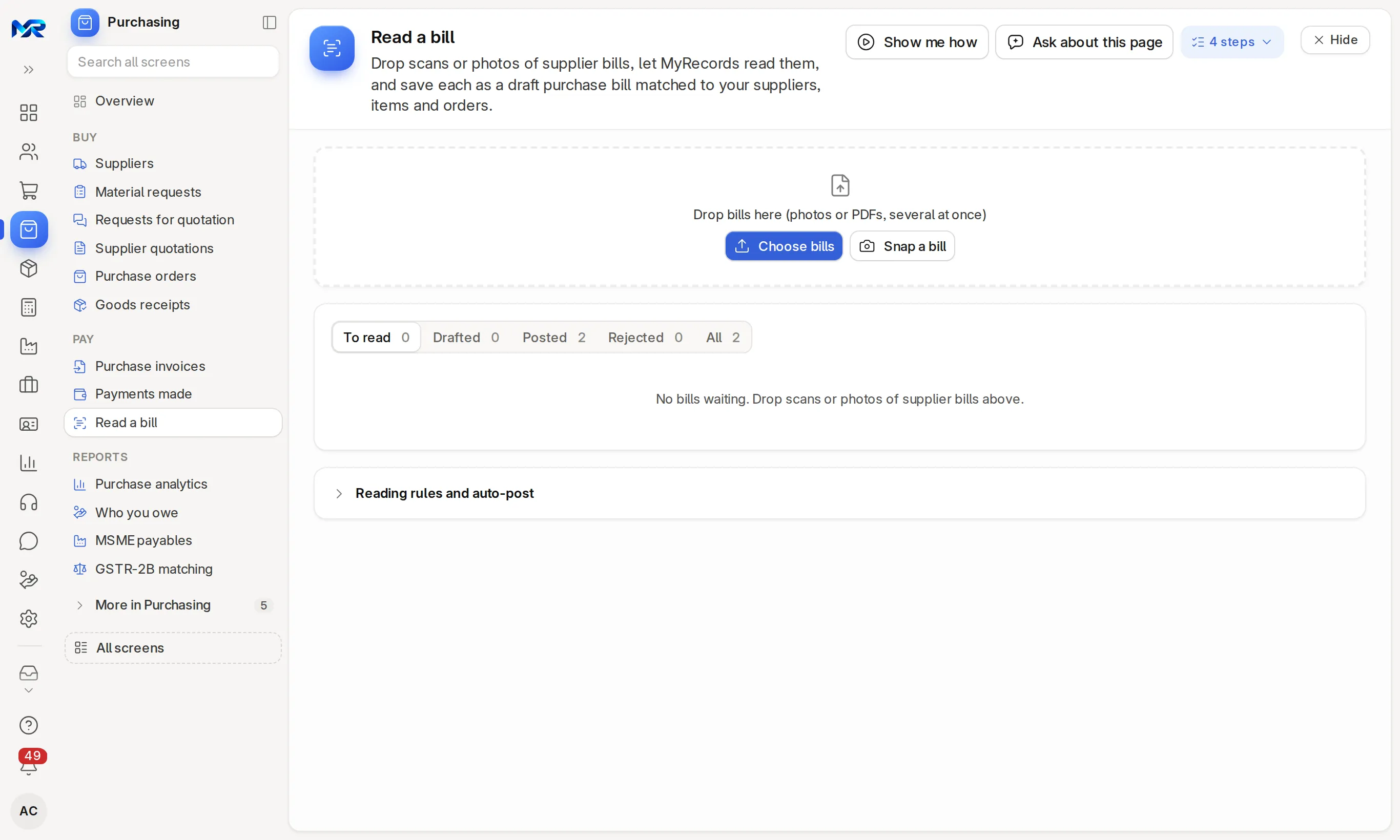
Read a bill: drop the scans, check each draft, post it. - 02
Requests for quotation
E-mail one RFQ to many suppliers with a link to quote online, or send each their PDF on WhatsApp. Remind those who have not replied, and compare quotes against the last price paid.
- 03
Purchase orders
Required-by dates per line, Get items from requests or quotations, Check prices against last year's rates, and drop-ship lines the supplier delivers to your customer. Blanket orders hold a year's quantity, ordered in parts. Approval by amount is ready-made, off until you want it.
- 04
Goods receipts
Receive goods from the order, with accepted and rejected quantities, batches with expiry, serial numbers, the transporter and the supplier's e-way bill number. A landed cost voucher adds freight or duty to the item cost.
- 05
Purchase invoices
The supplier's bill number and date, a warning if the same bill is entered twice, hold and release, debit notes, one bill for several receipts, and Export to Tally. Match & payments checks the bill against order and receipt.
- 06
Read a bill
Upload or snap supplier bills, up to 10 read at a time, or have them mailed to a mailbox you choose (sent on WhatsApp once WhatsApp Business is connected). With the AI Assistant add-on it reads supplier, lines, GST and totals, matches the supplier by GSTIN and the open order, and drafts the bill beside the image.
- 07
Payments made
Pay a supplier, or pay ticked bills with one payment per supplier. Send remittance advices by e-mail or WhatsApp, print cheques, and download a NEFT/RTGS upload file for your bank.
- 08
Who you owe
Unpaid bills by supplier and by bill, how late they are, and advances already paid. Plan payments picks the bills to pay within the money you have, MSME suppliers first.
- 09
Suppliers
Each supplier's unpaid bills, open orders, what you bought and at what rate over 12 months, a statement to e-mail, a scorecard that can warn on or block new orders, and GSTIN, PAN and Udyam. Supplier price rules apply their rates, discounts and free items on every purchase.
- 10
AI helpers
With the AI Assistant add-on, turn a sentence, a voice note or a photo of a paper indent into request lines. Word quote comparisons, price checks and Purchase analytics changes, or summarise a supplier, from your own figures only.
India compliance
For businesses in India, built in.
India is our first fully supported market. Each line says whether it works today, once you connect your account, or in part.
Outside India
Outside India, request to payment works the same in your own currency, and your country pack sets the local tax lines and the tax invoice layout; we build and test it before go-live.
What works in your country- Works today
GSTR-2B matching
Upload the month's GSTR-2B file, or fetch it once a GST API provider is connected. Bills are matched on supplier GSTIN and bill number, and each bill keeps its 2B result, so you claim only the credit you can. See GST returns.
- Works today
MSME 45-day rule
Bills from micro and small suppliers carry the pay-by date, the interest if claimed and the section 43B(h) amount. A daily alert names bills due within 5 days, and the MSME-1 tab lists the dues for the half-yearly return.
- Works today
IGST on inter-state bills
Orders, receipts and bills take IGST or CGST + SGST from the supplier's GSTIN. A wrong template is switched before saving; tax of the wrong kind typed by hand is refused.
- Works today
TDS on supplier bills
Give the supplier its TDS category and tick "Consider for Tax Withholding"; TDS is worked out on the bill and shows in TDS to deposit.
- In part
Reverse charge bills
A "Self-invoice (RCM)" print for supplies from unregistered suppliers, and the bill's reverse-charge tax goes to GSTR-3B table 3.1(d). Check the treatment with your CA.
Try it
See it on the demo company.
We show you the live system on a call, following a purchase from material request to payment, then Who you owe and MSME payables, and can give you a demo sign-in to explore it yourself. Or join the pilot programme and run it on your own suppliers.
Reports and roles
What you see, and who sees it.
Reports come ready on day one. Each person sees only the screens and records their role allows.
Reports you get
- Purchase analytics (trend, against last year, GST, price index)
- Who you owe (by supplier and by bill)
- MSME payables and the MSME-1 list
- GSTR-2B matching
- Purchase bill register and Item-wise purchase history
- Purchase order analysis
- Supplier quote comparison
- Supplier scorecards
Who sees what
- Owner
- See every order and bill, and give the final approval above ₹5 lakh once approvals are on.
- Purchase Manager
- Approve requests and orders, compare quotations, and manage suppliers and their scorecards.
- Purchase User
- Raise material requests, RFQs and purchase orders, and receive goods.
- Accounts User
- Book purchase invoices and debit notes, and pay suppliers.
Before you decide
What works today, and what does not.
Said plainly, so you can plan around it. What comes next is on the roadmap.
Works today14
On the demo company, now.
- Material requests
- Requests for quotation
- Purchase orders
- Goods receipts
- Purchase invoices
- Read a bill
- Payments made
- Who you owe
- Suppliers
- AI helpers
- GSTR-2B matching
- MSME 45-day rule
- IGST on inter-state bills
- TDS on supplier bills
In part1
The feature text says exactly which part.
- Reverse charge bills
Not in Purchasing yet
Left out on purpose, or planned.
- Bank-specific bulk payment layouts. The NEFT/RTGS file is a plain CSV with the usual columns; check them against your bank's upload screen.
- On a phone
- Works in any phone browser and installs to the home screen, so a storekeeper can receive goods and snap a bill in the warehouse. Purchasing needs a connection, except bill photos for Read a bill: taken offline, they wait on the phone and upload when the network is back.
- Bringing data in
- Suppliers, items and price lists from Excel templates, checked before import, with "Undo this import" for new records. Suppliers and stock items from Tally masters. Scanned, photographed or e-mailed bills through Read a bill.
- Getting data out
- Every list and report to Excel, CSV or PDF; purchase orders, goods received notes and remittance advices as PDFs; a NEFT/RTGS upload file for the bank; purchase invoices as a Tally XML file.
- Integrations
- Read a bill needs the AI Assistant add-on (and an AI key on your own server). WhatsApp messages to suppliers go directly once you connect WhatsApp Business; until then WhatsApp opens on your phone with the text ready. Fetching GSTR-2B from the portal needs a GST API provider.
- Where it runs
- Runs as your own dedicated system: on your server under an AMC, or on MyRecords Cloud for a monthly fee. Your supplier data and prices stay yours, with a full export when you leave. Data ownership and exit
Questions
Questions people ask
Something else on your mind?
Ask us anything about modules, a quote or moving across. A person from our team replies.
Ask a question01Can I bill a supplier without a goods receipt?
Yes. A bill can be made from the purchase order (Record bill), from a goods receipt, or on its own. Making it from the receipt brings in exactly what arrived.
02Can purchase orders need approval?
Yes. A ready-made approval by amount ships switched off. Turned on, orders up to ₹1 lakh go straight through, a Purchase Manager approves above that, and the owner also approves above ₹5 lakh. The first approver cannot approve an order they made. You can change the amounts, and material requests follow the same bands.
03How does Read a bill work?
Upload scans or photos, or snap a bill with the phone camera. The AI Assistant add-on reads the supplier, dates, lines, GST and totals, finds the supplier by GSTIN and the matching purchase order, and shows a draft bill beside the image for you to check. Nothing is booked until you submit it, unless an Accounts Manager switches on auto-post for bills read with full confidence. It needs the AI Assistant add-on (and an AI key on your own server); the e-invoice QR on a bill can be read without it.
04Does it handle MSME payments under section 43B(h)?
It shows each MSME bill's 45-day date, the interest if paid late, and the amount not deductible this year unless paid in time under section 43B(h). Check the treatment with your CA.
05Does a goods receipt update stock right away?
Yes. Submitting a receipt moves the quantity into the warehouse at the order's rate, which becomes its value. Freight or duty added with a landed cost voucher is spread into the item cost.
06Will it match supplier bills with GSTR-2B?
Yes. Open GSTR-2B matching in Purchasing and upload the month's GSTR-2B file from the GST portal. Bills are matched by supplier GSTIN and bill number, and each bill can keep its 2B result.
Last updated Applies to MyRecords 3 Nov 2026 release
Next step
See it on your own numbers.
A live demo on our sample company, with the modules you would switch on. Or ask us for a quote first.
Live demo
Book a walk-through
- On our sample company, for your kind of work
- A quote for the modules you need
- Your questions, answered by our team