















Maintenance visits and warranty
Service visits and warranty claims, on record.
Schedule visits, record what was done, and see at once whether a unit is under warranty.
- Works today on the demo company
- Live demo sign-in from us, on request
- Your server or MyRecords Cloud
What it fixes
What changes with Maintenance visits and warranty.
In short
Maintenance visits and warranty in MyRecords runs after-sales service in two modules. Maintenance visits covers maintenance schedules and visits (scheduled, unscheduled or breakdown) with service reports; Warranty and issues covers warranty claims and a simple issue list. Every serial number carries its warranty and AMC end dates, so a claim shows straight away whether the unit is covered. For full ticketing with a customer portal, use the Support app.
-
Before: AMC visits are missed until the customer calls.
With Maintenance visits and warranty: Maintenance schedules lay out every visit, and the list and calendar show what is due.
-
Before: Engineers' visit notes get lost in chat messages.
With Maintenance visits and warranty: Record a visit with what was done, the customer's feedback and a signature photo, then print the service report.
-
Before: Arguments with customers over whether a unit is in warranty.
With Maintenance visits and warranty: The claim shows the serial number's warranty or AMC status from the record, not from memory.
-
Before: AMC renewals slip by.
With Maintenance visits and warranty: Warranty and AMC ending in 30 days raise an alert, and renewal reminders go out from the list.
What it does
What Maintenance visits and warranty does for you.
Everything here works today on the demo company, except where a tag says it needs your account or works in part.
- 01
Maintenance schedules
Visits planned per customer and item from a sale or an AMC, with every date laid out. Remind the customer sends a note before the next visit.
- 02
Maintenance visits
Scheduled, Unscheduled and Breakdown tabs, a calendar and the Maintenance visits map. Give to moves visits to another service person; Print service reports prints a batch.
- 03
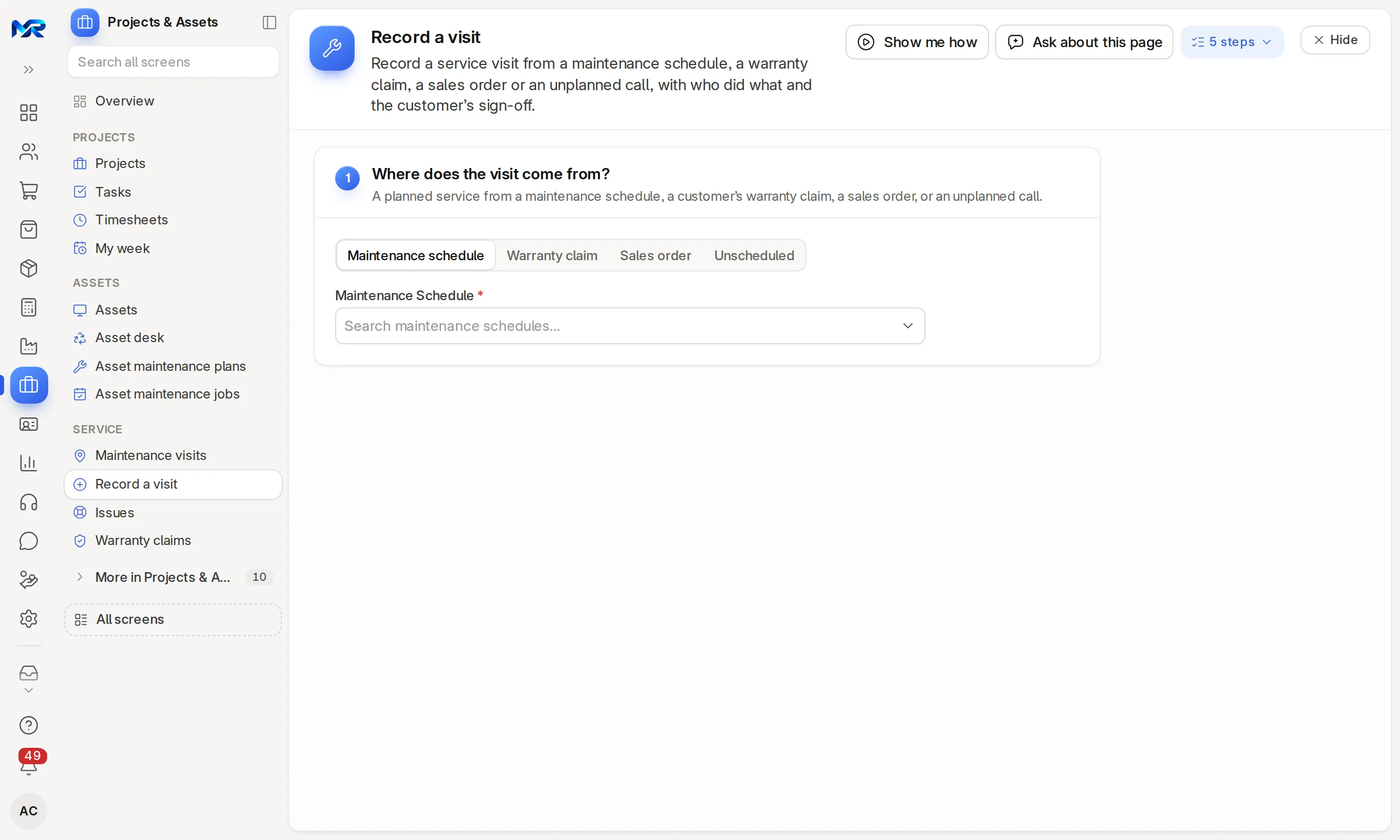
Record a visit
Start from a maintenance schedule, a warranty claim, a sales order or an unplanned call. Note who did what, the customer's feedback and a signature photo, or dictate the notes.
- 04
Service reports and acknowledgements
Submitting a visit e-mails its service report to the customer's contact, and a new claim e-mails them an acknowledgement. Print the service report or Print the acknowledgement any time.
- 05
Warranty claims
Log a claim against a serial number; a badge shows whether it is under warranty or AMC. Record visits, then Close with resolution. The list shows the average days to resolve.
- 06
Customer feedback
Ask for feedback on a visit, claim or issue sends the customer a link by e-mail or WhatsApp to rate the service from 1 to 5. Their answer comes back as quality feedback.
- 07
Serial numbers
Warranty and AMC end dates for each unit, warranty cards, an alert to your managers 30 days before cover ends, and renewal reminders to customers.
- 08
Issues
Customer and project problems with response and resolution targets, the conversation, Split issue and Create task. Resolve, put on hold or close; the assignee hears when a target is missed.
- 09 Once connected
WhatsApp and SMS
Visit reminders by WhatsApp or SMS, and customers' CLAIM or ISSUE messages on WhatsApp opening a claim or an issue, once you connect your account.
- 10
AI help
Read a serial number from a label photo while recording a visit; on an issue, draft a reply or suggest its type and priority. A spoken voice note on a visit or claim can be transcribed (Gemini or Vertex AI). Needs the AI Assistant add-on.
India compliance
For businesses in India, built in.
India is our first fully supported market. Each line says whether it works today, once you connect your account, or in part.
Outside India
Outside India, everything else on this page works the same in your own currency. These lines are extras for businesses in India.
What works in your country- Works today
UPI payment link
Collect for a paid visit or repair with a UPI link from the visit or the claim, copied or sent to the customer on WhatsApp.
Try it
See it on the demo company.
We show you the live system on a call: service visits on a map, warranty and AMC claims, and a visit recorded with its service report. Ask for a demo sign-in to try it yourself, or join the pilot programme with your own engineers.
Reports and roles
What you see, and who sees it.
Reports come ready on day one. Each person sees only the screens and records their role allows.
Reports you get
- Maintenance service schedule
- Visits by service person
- Claims by warranty status
- Warranty expiry report
- Service contract expiry report
- Issue analytics
- First response time
Who sees what
- Owner
- See every visit, claim and issue.
- Maintenance Manager
- Plan maintenance schedules, give visits to engineers and record visits.
- Maintenance User
- Record visits and print the service report, and log and close warranty claims.
- Support Team
- Work the issue list, reply and resolve.
Before you decide
What works today, and what does not.
Said plainly, so you can plan around it. What comes next is on the roadmap.
Works today10
On the demo company, now.
- Maintenance schedules
- Maintenance visits
- Record a visit
- Service reports and acknowledgements
- Warranty claims
- Customer feedback
- Serial numbers
- Issues
- AI help
- UPI payment link
Once you connect1
Built in; needs your own account with the provider.
- WhatsApp and SMS
Not in Maintenance visits and warranty yet
Left out on purpose, or planned.
- A separate app for engineers. They use the phone browser, which installs to the home screen.
- Working offline on screens other than Record a visit.
- On a phone
- Engineers record visits in any phone browser, and the visit's position is noted from the phone. It installs to the home screen. If the signal drops while recording, the visit is kept on the phone and saved when it is back. The other screens need a connection.
- Bringing data in
- Serial numbers with warranty dates, maintenance schedules and open claims from our Excel templates, through Import data, which checks the columns first; an import that created new records can be undone.
- Getting data out
- Service reports, visits, claims and every list export to Excel, CSV or PDF.
- Integrations
- Visit reminders go on WhatsApp once you connect WhatsApp Business, or by SMS once you connect an SMS account; claims and issues by WhatsApp message need WhatsApp Business. E-mail acknowledgements and service reports work with your mailbox. AI help needs the AI Assistant add-on, and an AI key on your own server.
- Where it runs
- Runs as your own dedicated system: on your server under an AMC, or on MyRecords Cloud for a monthly fee. Either way the records are yours, and you can export everything when you leave. Data ownership and exit
Questions
Questions people ask
Something else on your mind?
Ask us anything about modules, a quote or moving across. A person from our team replies.
Ask a question01How is this different from the Support app?
The issue list here is simple and lives next to visits and claims, for project and internal problems. Support is the full ticketing tool, with SLA timers, a customer portal and a help centre; when it is on, issues point customer tickets there.
02Can I run AMCs?
Yes. Each serial number carries its AMC end date, a maintenance schedule lays out the visits, and you can bill the AMC as a recurring invoice in Accounting.
03How does it know if a unit is under warranty?
From the serial number's warranty and AMC end dates. A claim against that serial shows a badge for in or out of warranty.
04Can engineers use their phones?
Yes. They see their visits, call or message the customer, open the map and record the visit in a phone browser.
05Can customers raise a claim themselves?
By WhatsApp once you connect WhatsApp Business; a message that starts with CLAIM opens a claim against their serial number. Otherwise your team logs it. The Support app's customer portal takes tickets, not warranty claims.
06Do I need both modules?
No. Maintenance visits and Warranty and issues are priced apart; switch on what you use.
Last updated Applies to MyRecords 3 Nov 2026 release
Next step
See it on your own numbers.
A live demo on our sample company, with the modules you would switch on. Or ask us for a quote first.
Live demo
Book a walk-through
- On our sample company, for your kind of work
- A quote for the modules you need
- Your questions, answered by our team