















Platform
Bring your data. Check it first.
Tally, Excel and other software. Check the columns before you import, and undo an import that added records.
In part4 of 7 parts work today
- Part of
- Every module
- the platform under every app and module
- Users
- Unlimited
- no per-user fee on any module
- Runs on
- Your server
- or a dedicated system on MyRecords Cloud
- Core ready in
- 1–2 weeks
- set up by our team with the modules you pick
How it works
Six steps, start to finish.
In short
MyRecords imports your masters and opening data from Tally, from Excel or CSV files, and customers, suppliers and items from Vyapar, Zoho Books or Busy. Before importing you check which column goes into which field; rows that fail are listed with the reason, to fix and import again. An import that created new records can be undone with Undo this import. A Tally file is checked first, and every problem, such as an unknown ledger or a missing party, is listed before anything is posted. The Tally import covers party ledgers, stock items with opening stock, BOMs and Day Book vouchers as journals; it has been tested on Tally's own sample export, not yet on a real client's data.
-
Step 1
Export from your old software
Tally Day Book and masters as XML; everything else as CSV or Excel, one file per kind of record, headers in the first row.
-
Step 2
Download our template
Each kind of record has a template, so the columns match. Item files from Vyapar, Zoho Books or Busy are read as they are, and you can change which column means what.
-
Step 3
Check the columns
Each column of your file goes into the field shown; change it or choose "Don't import". Every row then goes through the same checks as a record typed by hand.
-
Step 4
Import
Rows that fail are listed with the reason. Fix them and import those rows again. Masters go first, because later records link to them.
-
Step 5
Undo if needed
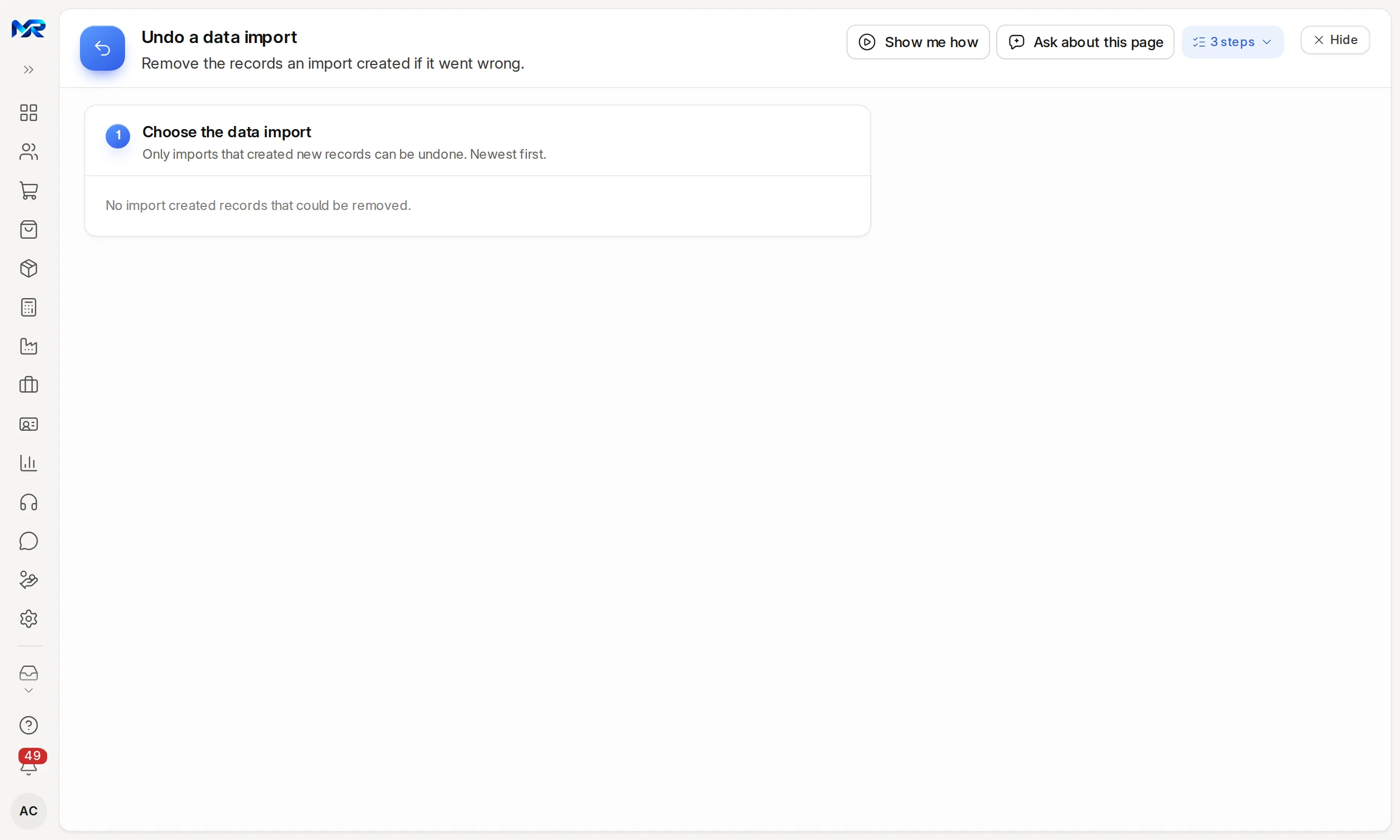
If the result is wrong, Undo this import removes what it created, and you run it again. Only an import that created new records can be undone; records already submitted or used by other documents are kept, and the log says which.
-
Step 6
Check the totals together
We check ledger balances and stock against your old books with you, then run both side by side until three days in a row agree.
The details
What it covers.
4 of 7 work today
- Works today 4
- In part 3
-
Tally party ledgersIn part
Ledgers under Sundry Debtors become customers and those under Sundry Creditors suppliers, after a check that lists what would be created. Other ledgers become accounts in your chart of accounts, which we set up with you.
-
Tally stock items and BOMsIn part
Stock groups, units, godowns and stock items with HSN codes; opening stock as a draft entry for you to check; bills of materials as drafts.
-
Tally Day BookIn part
Accounting vouchers from the Day Book XML become journal entries. The file is checked first and every problem listed; nothing is posted until you confirm, and a batch is undone by cancelling its journals. Sales and purchase vouchers with item lines are not imported as vouchers yet; bring open invoices in as documents from a spreadsheet.
-
Excel and CSV for any recordWorks today
Customers, suppliers, items, employees, addresses, contacts, opening invoices and more, through Import data with its template: check the columns, fix the rows that fail, and Undo this import for an import that created records.
-
Parties and items from Vyapar, Zoho Books or BusyWorks today
The setup wizard reads their customer and supplier export (with opening balances) and item export (HSN/SAC code, unit and prices) as they are. You check the columns and a preview of what will be created, then create them.
-
Setup wizard helpWorks today
With the AI Assistant, the setup wizard reads a photo or PDF of your GST certificate and your trial balance to fill company details and opening balances for you to check.
-
Bank statementsWorks today
Import statements as CSV or Excel, or a PDF or photo read by the AI Assistant, for bank reconciliation any time after go-live.
Said plainly
Not there yet
- A Tally import run on a real client's data. It has been tested on Tally's own sample export; the first real import is part of the pilot programme.
- Tally sales and purchase vouchers with item lines as vouchers.
- Ready converters for the full data of other software; their data comes in as CSV or Excel.
Questions
Questions people ask
Something else on your mind?
Ask us anything about it. A person from our team replies.
Ask a question01What moves over from Tally?
Party ledgers as customers and suppliers, stock groups, godowns and items with opening stock, BOMs, and Day Book accounting vouchers as journal entries. We check the totals with you before go-live. See switching from Tally.
02Can I undo an import?
Yes, for an import that created new records. Undo this import removes what it created, keeping anything already submitted or used by other documents. A Tally Day Book batch is undone by cancelling its journal entries. Fix the file and run it again.
03How much history should I bring?
Most firms bring masters and opening balances, then keep the old software read-only for history. Earlier years can be brought in as a paid service, priced by years.
04Is data migration included in the setup fee?
Masters (customers, suppliers, items, chart of accounts) and opening balances from Tally XML or our Excel templates are included. History and data cleaning are quoted separately. See data migration.
05We use Busy, Marg or Excel. Can you move us?
Yes, through CSV or Excel files from your software. Customers, suppliers and items from Busy, Vyapar and Zoho Books have a ready reader; everything else uses our templates.
Last updated Applies to MyRecords 3 Nov 2026 release
Next step
See it on your own numbers.
A live demo on our sample company, with our team. Or ask us for a quote first.
Live demo
Book a walk-through
- On our sample company, for your kind of work
- A quote for the modules you need
- Your questions, answered by our team