















Platform
Your business on your phone.
Any phone browser, installed to the home screen. Billing, shop floor, check-in, visits and bill photos work offline.
In part7 of 10 parts work today
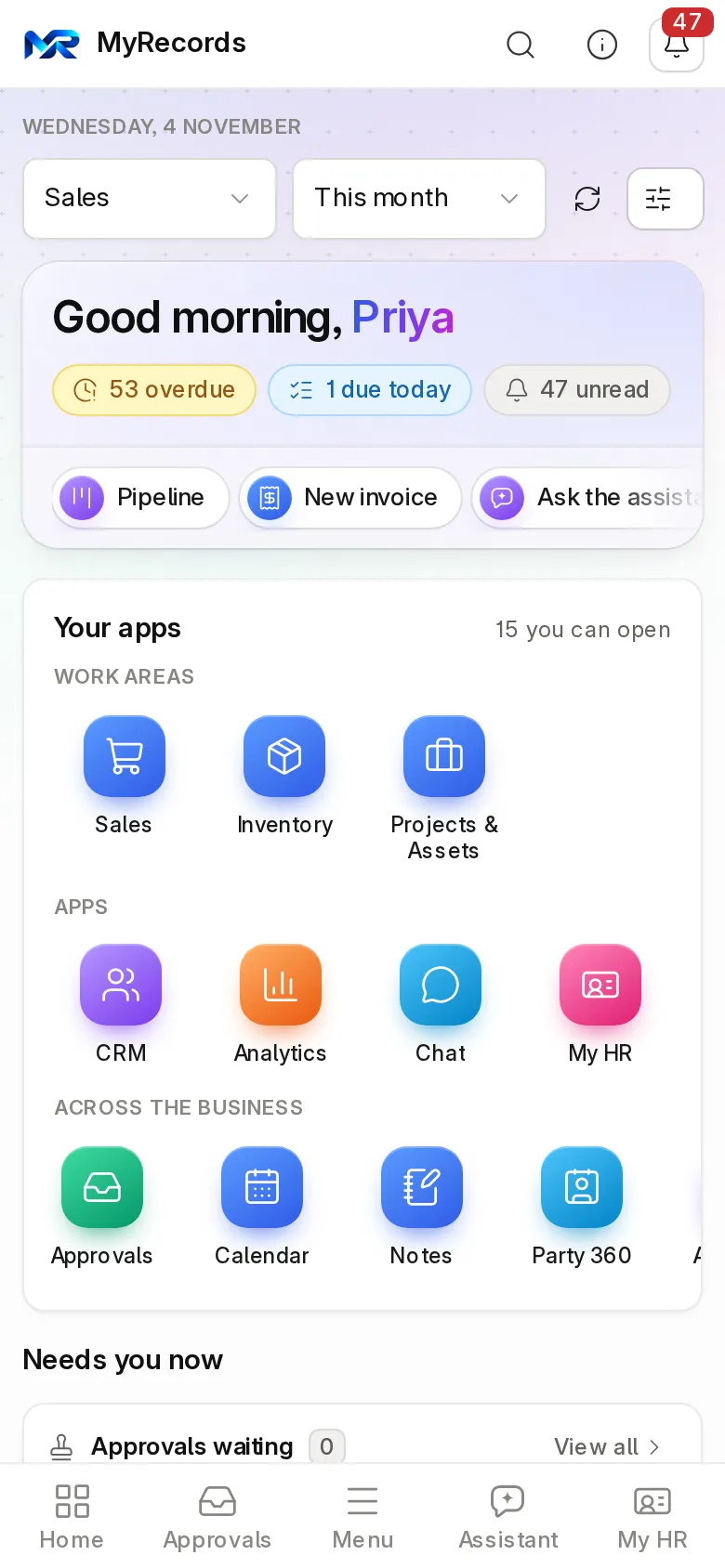
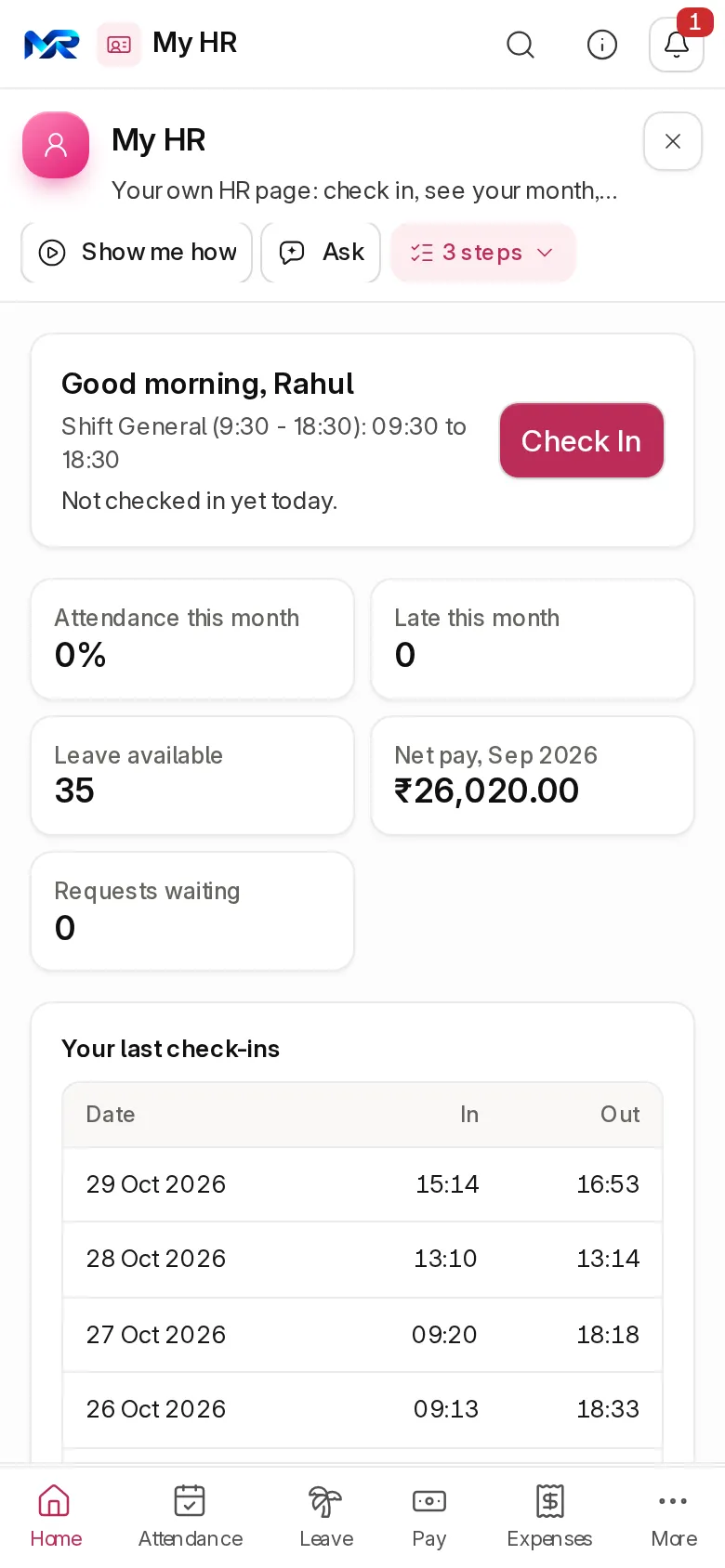
Home and My HR in a phone browser, on the sample company.
- Part of
- Every module
- the platform under every app and module
- Users
- Unlimited
- no per-user fee on any module
- Runs on
- Your server
- or a dedicated system on MyRecords Cloud
- Core ready in
- 1–2 weeks
- set up by our team with the modules you pick
How it works
Three steps, start to finish.
In short
MyRecords works in any phone browser and installs to the home screen like an app, from the same system you use on a laptop, with the same permissions. Lists turn into cards, figures swipe in a row, and the camera scans barcodes, bills and visiting cards. Point of sale, the shop floor, attendance check-in, maintenance visits and asset physical checks keep working without a connection and sync when it returns, and bill photos wait on the phone until then. Everything else needs a connection, and there is no separate native app.
-
Step 1
Open your address
Open your MyRecords address in Chrome, Safari, Edge or Firefox on the phone and sign in.
-
Step 2
Add to home screen
Use the browser's "Add to home screen" or "Install". It opens full screen from its own icon.
-
Step 3
Work as usual
The same login, roles and data as on the laptop. Nothing to update; it is always the current version.
The details
What it covers.
7 of 10 work today
- Works today 7
- Once connected 1
- In part 2
-
Built for phone screensWorks today
Every page is checked at phone width. Lists become cards that show every column, summary figures swipe in one row, and buttons are at least 44 px for a thumb.
-
Camera where it helpsWorks today
Scan barcodes on sales and stock entries, snap a purchase bill for reading, and scan a visiting card into a new lead. Reading bills and cards needs the AI Assistant.
-
Offline billing at the counterIn part
The POS till keeps billing when the network drops. Bills queue while the till page stays open and go up, with who rang each one up, when the network is back.
-
Shop floor and check-in offlineIn part
The shop-floor screen and attendance check-in (with location) queue their entries offline and sync later. Other pages need a connection.
-
Maintenance visits and asset checksWorks today
A maintenance visit recorded offline and an asset physical check ticked offline stay on the phone, for that person only, and are saved when you are back online. Bill photos taken offline wait the same way. Unsent drafts of ticket replies, leave requests and chat messages follow you to any device for 30 days.
-
Self-service for staffWorks today
"My HR" on the phone: check in, apply for leave, claim expenses with a photo of the receipt, and see payslips.
-
Voice search and phonetic typingWorks today
Search and ask the assistant by voice, in English or Hindi, and type Hindi in Roman letters in chat, notes and the assistant.
-
Approvals on the goWorks today
Approve leave, expenses and purchase orders from one inbox on the phone.
-
Phone notificationsOnce connected
Push notifications for chat and alerts work once the notification service is connected; in-app and e-mail notices work today.
-
Browsers supportedWorks today
Safari 16.4 or later, Chrome or Edge 111 or later, and Firefox 128 or later, on phone or desktop.
Said plainly
Not there yet
- A native app from the Play Store or App Store. MyRecords is one web app that installs from the browser.
- Offline use beyond the places above. Lists, reports and new records need a connection.
Questions
Questions people ask
Something else on your mind?
Ask us anything about it. A person from our team replies.
Ask a question01Is there an app for my phone?
Not a store app. MyRecords works in any phone browser and installs to the home screen from there, so it opens like an app, always on the current version.
02What works without internet?
Point of sale, the shop floor, attendance check-in, maintenance visits and asset physical checks queue their entries and send them when the connection returns. Bill photos for "Read a bill" wait on the phone and upload then too. Everything else needs a connection.
03Which phones does it work on?
Any phone with Safari 16.4 or later, Chrome or Edge 111 or later, or Firefox 128 or later. That covers iPhones on iOS 16.4 and up and most Android phones from the last few years.
04Can my sales staff see everything on their phone?
They see exactly what their role allows, the same as on a laptop. A phone is not a way around permissions.
05Do I need a separate login for the phone?
No. It is the same address and the same login. Two-factor sign-in works on the phone too.
Last updated Applies to MyRecords 3 Nov 2026 release
Next step
See it on your own numbers.
A live demo on our sample company, with our team. Or ask us for a quote first.
Live demo
Book a walk-through
- On our sample company, for your kind of work
- A quote for the modules you need
- Your questions, answered by our team