















Inventory
Every warehouse, every batch, one count.
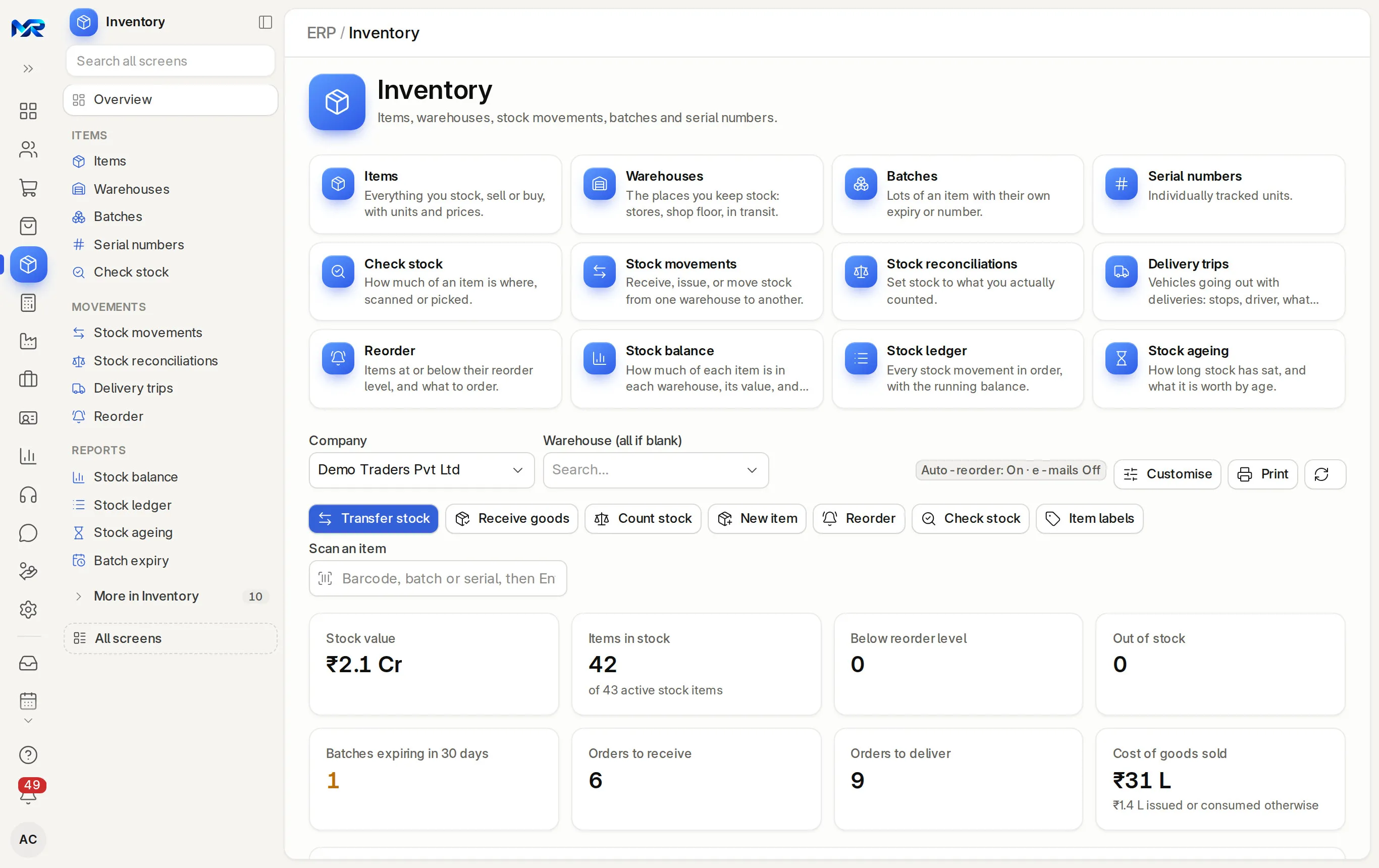
Stock by warehouse, batch and expiry, moved by scan and valued in the same books.
- Works today on the demo company
- Live demo sign-in from us, on request
- Your server or MyRecords Cloud
- Built for you
- Customised
- to your requirements, by our team
- Users
- Unlimited
- no per-user fees, on any module
- Runs on
- Your server or MyRecords Cloud
- a dedicated system, in any country
What it fixes
What changes with Inventory.
In short
Inventory is the stock side of MyRecords: items with barcodes and variants (and HSN codes in India), stock in every warehouse, transfers, batches with expiry dates, serial numbers, stock counts, reorder and stock ageing. Every goods receipt, delivery, POS bill and production run moves stock and posts its value to the books, and a comparison report checks that stock value and stock accounts agree. It is part of the ERP core, with unlimited users.
-
Before: Total stock is known, but not which warehouse holds it.
With Inventory: Check stock shows an item in every warehouse, with on hand, reserved, free to promise and projected. Stock balance shows every item at once, with value.
-
Before: Expired stock is found only when a customer complains.
With Inventory: Batch expiry shows what has expired and what expires within 30 and 90 days, says what will not sell in time, and moves expired lots to scrap in one transfer.
-
Before: Reorders by guesswork, and fast movers run out.
With Inventory: Reorder lists what has fallen to its reorder level. Smart qty suggests about a month of the last 90 days' use, and the list prints by supplier.
-
Before: The physical count and the books never match, and nobody knows why.
With Inventory: Count by scan, even blind. Large differences need a recount or a reason, and the adjustment posts to the books.
-
Before: Old stock sits in the warehouse and ties up money.
With Inventory: Stock ageing shows each receipt still in stock with its age and value, and makes a clearance price list.
What it does
What Inventory does for you.
Everything here works today on the demo company.
- 01
Items, barcodes and variants
Item code, HSN, unit, prices, barcodes and pictures, with a Stock tab for every warehouse. Make item variants builds sizes or colours from one template, with a code, rate, barcode and opening stock each.
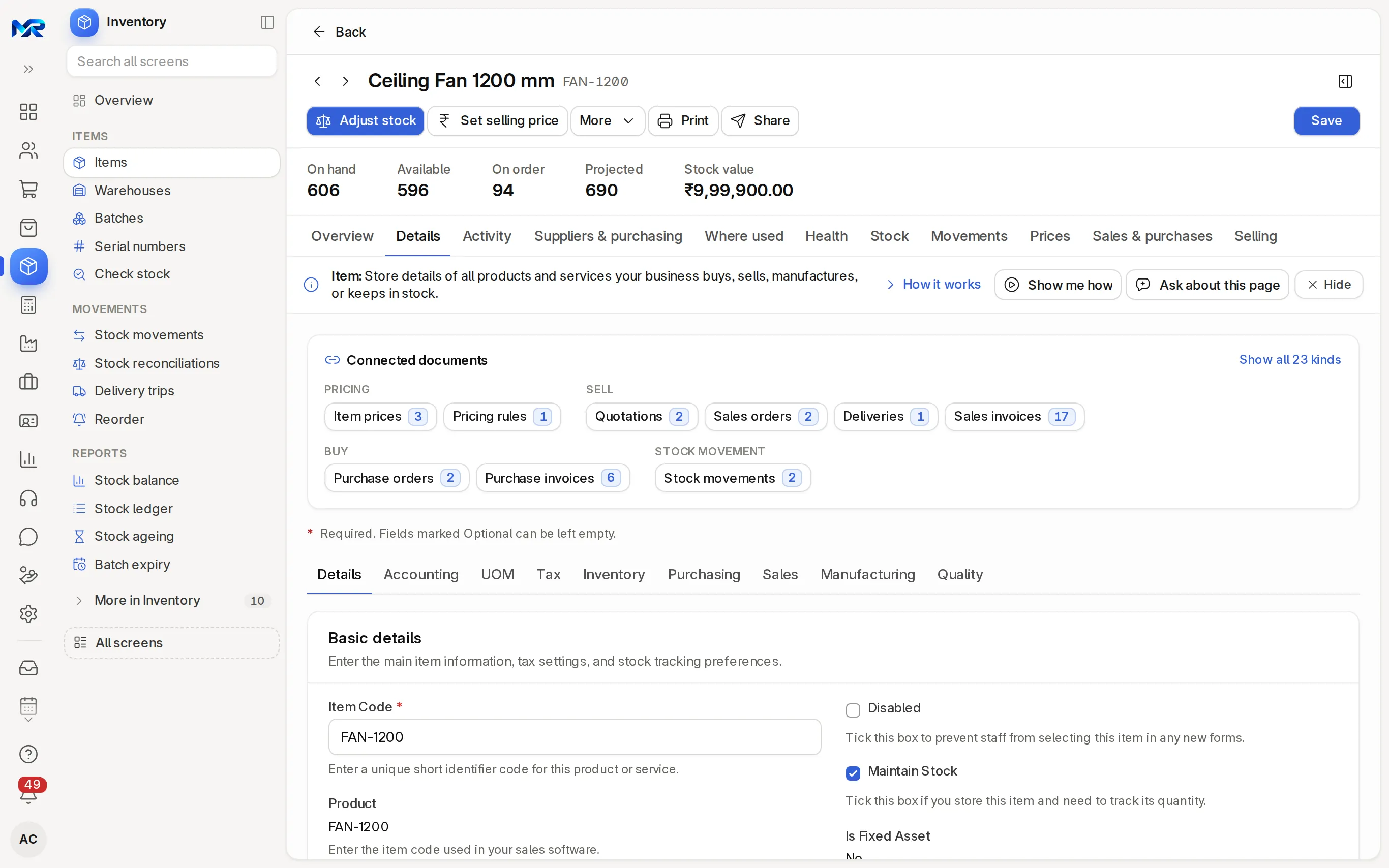
An item record and its connected documents. - 02
Warehouses and transfers
Warehouses as a tree, with racks, capacity and QR labels. Move stock transfers, receives, issues or repacks by scan; goods on the road sit in transit until received at the other end.
- 03
Batches and expiry
Lots with manufacturing and expiry dates, stock per warehouse, QR labels, the supplier's certificate of analysis on the batch, and alerts 30, 7 and 0 days before expiry.
- 04
Serial numbers
Track single units with their warranty and AMC end dates. Print serial labels and warranty cards, create a numbered range in one go, and send renewal reminders.
- 05
Count stock
Count by scan, by warehouse or item group, or blind. Suggest what to count picks the items due; a Stock Counter saves drafts and a Stock Manager posts them.
- 06
Reorder
Items at or below their reorder level, judged on projected stock. Create material requests or purchase orders by supplier, print or WhatsApp the list, or let auto-reorder raise requests daily.
- 07
Stock ageing
Each receipt still in stock, first in first out, with its age and value per warehouse. Make a clearance price list for the old lots.
- 08
Stock balance and ledger
Quantity and value by item and warehouse, and every movement in order with its running balance. Print a stock statement for your bank, a count sheet or a stock register.
- 09
Delivery trips
Plan a trip from ticked deliveries, with stops ordered nearest first by PIN code. Tell each customer the goods are on the way and when they are delivered, then close the trip.
- 10
AI helpers
With the AI Assistant add-on, ask the Inventory home or Stock balance a question, say a move or a count, count from a shelf photo, read serials off a sticker, fill variants from a supplier's catalogue, and get plain reasons for a count difference, a valuation rate or old stock.
India compliance
For businesses in India, built in.
India is our first fully supported market. Each line says whether it works today, once you connect your account, or in part.
Outside India
Outside India, items, warehouses, batches and transfers work the same. HSN, e-way bills and MRP checks are for India; your country pack sets your tax rates.
What works in your country- Works today
HSN on every item
HSN codes and GST rates sit on the item, so invoices and GST returns pick them up without retyping.
- Works today
E-way bill for transfers
A transfer above ₹50,000 between your own premises makes the e-way bill upload file from the stock movement, and the goods go on a delivery challan.
- Works today
A GSTIN per place of business
A warehouse registered as an additional place of business carries its own address and GSTIN.
- Works today
MRP checks
MRP sits on the item, and a sale above it, tax included, is refused under the Legal Metrology rules.
- In part
Stock from Tally
Stock groups, units, godowns, items and opening stock come in from Tally, each godown mapped to a warehouse, as a draft count you check before posting. Tested on Tally's own sample export so far.
Try it
See it work on sample data.
We show you the live system on a call: an item's stock across warehouses, a transfer on Move stock and Stock balance. We can give you a demo sign-in to explore it yourself, or join the pilot programme and see it on your own stock.
Filter coffee powder 500 g
FCP-500 · Nos · Kaveri Agencies
- In stock320 Nos
- Value₹76,800.00
- Expiry4 Jan 2027
- Warehouses holding it3
Stock by warehouse
| Warehouse | In stock | Value |
|---|---|---|
| Main godown, Mysuru | −40 260 220 | ₹62,400.00 ₹52,800.00 |
| Nanjangud godown | +40 40 80 | ₹9,600.00 ₹19,200.00 |
| Hunsur depot | 20 | ₹4,800.00 |
| Total unchanged | 320 | ₹76,800.00 |
40 packs move from Main godown to Nanjangud. Both godowns change; the total stays 320 packs and ₹76,800.
Sample data for a fictional distributor, Kaveri Agencies, Mysuru.
Reports and roles
What you see, and who sees it.
Reports come ready on day one. Each person sees only the screens and records their role allows.
Reports you get
- Stock balance by item and warehouse
- Stock ledger and stock register
- Check stock (on hand, reserved, projected)
- Reorder and projected quantity
- Stock ageing
- Batch expiry
- Count sheet and stock adjustment report
- Stock statement for the bank
- Stock vs account value
Who sees what
- Owner
- See every quantity and value, and approve anything.
- Stock Manager
- Post counts and adjustments, approve large material issues once issue approval is on, and set reorder levels and warehouses.
- Stock User
- Receive, issue and transfer stock. Cannot post a count.
- Stock Counter
- Count and save drafts only. A Stock Manager checks and posts them.
- Sales User
- See items, warehouses and stock levels read-only, with each item's Stock tab and Stock balance. Cannot move stock.
Before you decide
What works today, and what does not.
Said plainly, so you can plan around it. What comes next is on the roadmap.
Works today14
On the demo company, now.
- Items, barcodes and variants
- Warehouses and transfers
- Batches and expiry
- Serial numbers
- Count stock
- Reorder
- Stock ageing
- Stock balance and ledger
- Delivery trips
- AI helpers
- HSN on every item
- E-way bill for transfers
- A GSTIN per place of business
- MRP checks
In part1
The feature text says exactly which part.
- Stock from Tally
Not in Inventory yet
Left out on purpose, or planned.
- Stock sync with online stores and marketplaces.
- Working offline. Stock screens need a connection.
- On a phone
- Works in any phone browser and installs to the home screen. Move stock, Count stock, the Inventory home and delivery picking take a camera scan, and counted lines stay on the device until you save. Stock screens need a connection. Only point of sale, the shop floor, attendance check-in, maintenance visits, asset physical checks and bill photos for Read a bill work offline.
- Bringing data in
- Items, warehouses and opening stock from our Excel templates, checked before import, with "Undo this import" for new records. Opening stock from Excel or a Tally export on Count stock, mapped godown by godown. Counts can come in as a CSV.
- Getting data out
- Stock balance, ledger, ageing, batch expiry and every list export to Excel, CSV or PDF. Count sheets and item, batch and warehouse labels print from the page.
- Integrations
- Barcode scanners that type into the screen work as they are, and the phone camera scans too. You buy the scanners and label printers. Stock sync with online stores and marketplaces is not available.
- Where it runs
- Runs as your own dedicated system: on your server under an AMC, or on MyRecords Cloud for a monthly fee. Either way the stock records are yours, and you can export everything when you leave. Data ownership and exit
Questions
Questions people ask
Something else on your mind?
Ask us anything about modules, a quote or moving across. A person from our team replies.
Ask a question01Can I see stock warehouse by warehouse?
Yes. Every item's Stock tab shows its stock in each warehouse, with reserved, on-order, requested and projected quantities. Stock balance shows all items by warehouse, with value, and drills down to the ledger.
02Does it track batches and expiry dates?
Yes. Mark an item as batch-tracked, enter batches and expiry dates on the goods receipt, and the Batch expiry page shows what has expired and what expires within 30 and 90 days. See batch, expiry and serial.
03Which stock valuation methods does it use?
Moving average or first in, first out (FIFO), set per item, and batch-by-batch valuation if you need it. The Stock vs account value report checks that the stock value equals the stock accounts in your books.
04Can I use a barcode scanner?
Yes. Scanners that type into the screen work on Move stock, Count stock, Check stock, the Inventory home and Point of sale, and a phone camera can scan on Move stock, Count stock and the Inventory home. You buy the scanners.
05Can someone count stock without changing it?
Yes. Give them the Stock Counter role (the "Stock counting" access pack). They count and save drafts; a Stock Manager checks the differences and posts the adjustment.
06Do I need an e-way bill to move stock between my warehouses?
Usually, when the goods are worth more than ₹50,000. MyRecords makes the e-way bill upload file from the transfer. A move between two GSTINs of the same company is billed as a sales invoice to your own branch. See warehouses and transfers.
07Can I hide stock values from some staff?
Yes. In Stock settings, list the roles under "Hide stock values from these roles". They see quantities but no rates or values on the stock pages and prints; the figures are removed on the server.
Last updated Applies to MyRecords 3 Nov 2026 release
Next step
See it on your own numbers.
A live demo on our sample company, with the modules you would switch on. Or ask us for a quote first.
Live demo
Book a walk-through
- On our sample company, for your kind of work
- A quote for the modules you need
- Your questions, answered by our team