















Inventory
Know every lot and every unit.
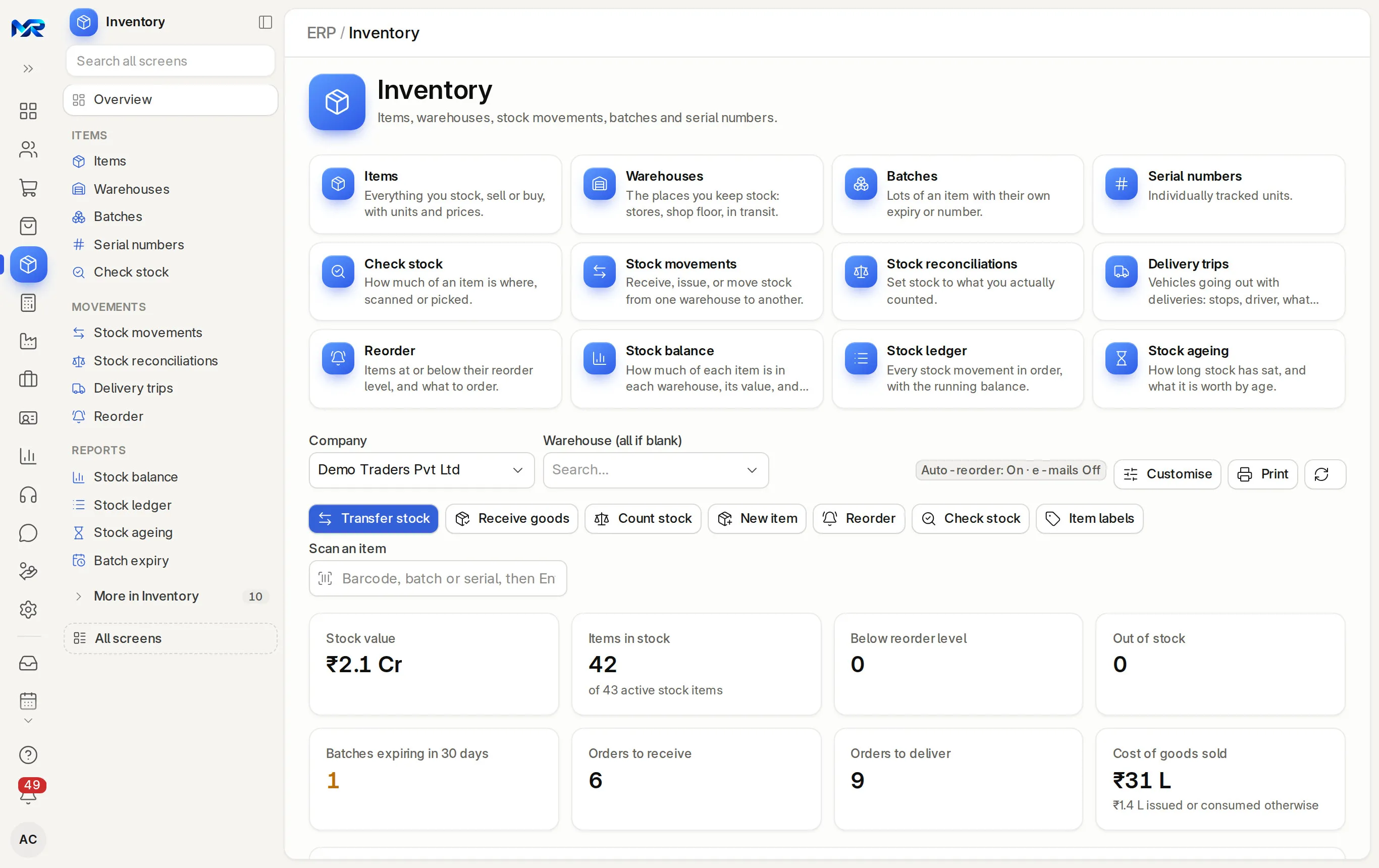
Batches with expiry dates, serial numbers with warranty, and alerts before stock goes bad.
All 8 parts work today
- Users
- Unlimited
- no per-user fee on any module
- Runs on
- Your server
- or a dedicated system on MyRecords Cloud
- Core ready in
- 1–2 weeks
- set up by our team with the modules you pick
How it works
Five steps, start to finish.
In short
MyRecords tracks stock by batch, with manufacturing and expiry dates, and by serial number for single units. Batches are made when goods are received or produced, picked at the counter and on deliveries, and watched by expiry alerts. Serial numbers carry their warranty and AMC end dates, so a service visit or a warranty claim knows whether the unit is covered.
-
Step 1
Turn it on per item
Tick Has Batch No, with or without an expiry date, or Has Serial No on the item. Set the shelf life and the expiry date follows from the manufacturing date.
-
Step 2
Receive with batches
On each goods receipt line, type the batch number and expiry date or let a numbering series make it. Create a numbered range of serial numbers from the item in one go.
-
Step 3
Label the stock
Print batch labels with a QR code, all the batches a stock entry brought in at once, and serial labels or warranty cards.
-
Step 4
Pick the right lot
At the counter the till asks for the batch and shows its use-by date. On a draft delivery, the Picking tab lists the batches that expire first at the top, and you scan to pick.
-
Step 5
Act before expiry
Batch expiry shows expired, within 30 days, 31 to 90 days and later. Sell before it expires says what will not sell in time. Move expired batches to a scrap warehouse in one transfer.
The details
What it covers.
8 of 8 work today
- Works today 8
-
The batch recordWorks today
Stock and value in each warehouse, expiry with a shelf-life bar, every movement, the supplier or work order it came from, and its quality inspections.
-
Expiry alertsWorks today
A notice to Stock Managers and Item Managers 30, 7 and 0 days before a batch with stock expires, and another if an expired batch goes out.
-
Sell before it expiresWorks today
Each batch expiring soon is weighed against its warehouse's sales of the last 90 days, with what will not sell in time and whether to move it or offer it. The AI add-on can say it in words.
-
Split, move, scrapWorks today
Split a batch, transfer it, or send expired stock to scrap; its value goes with it.
-
Batch certificatesWorks today
Keep the supplier's or your lab's certificate of analysis on the batch. A delivery downloads the certificates of its batches as one PDF.
-
Serial lifecycleWorks today
Each serial number shows where it came from, who bought it, its service history and its warranty and AMC end dates, with an alert 30 days before they end and renewal reminders to customers.
-
IMEI checkWorks today
A 15-digit serial is checked as an IMEI, and a wrong check digit is flagged. Serials from a photo (AI) reads serials and IMEIs off a box sticker.
-
Value batch by batchWorks today
Keep each batch at its own cost when lots are bought at different prices.
Said plainly
Not there yet
- Pharmacy registers such as Schedule H and H1. Batches and expiry dates are tracked; the registers are not built.
Questions
Questions people ask
Something else on your mind?
Ask us anything about it. A person from our team replies.
Ask a question01Can I sell the batch that expires first?
At the counter, the cashier picks the batch from a list that shows each use-by date and flags expired ones. On deliveries, the Picking tab puts the batches that expire first at the top.
02What happens to expired stock?
The Batch expiry page lists it. Select the expired batches and press Move expired to scrap, so they cannot be sold by mistake.
03Can I track warranty by serial number?
Yes. Each serial number carries its warranty and AMC end dates; a warranty claim against it shows whether it is covered. See Maintenance visits and warranty.
04Can batch numbers follow our own format?
Yes. Type your own batch numbers, or let a numbering series make them when goods are received or produced.
05Does every item need a batch?
No. Batch or serial tracking is set per item. Items without it are tracked by quantity alone.
Last updated Applies to MyRecords 3 Nov 2026 release
Next step
See it on your own numbers.
A live demo on our sample company, with our team. Or ask us for a quote first.
Live demo
Book a walk-through
- On our sample company, for your kind of work
- A quote for the modules you need
- Your questions, answered by our team