















HR
My HR: every employee's own page.
Check in, apply for leave, claim expenses and open payslips from any phone browser.
All 10 parts work today
- Users
- Unlimited
- no per-user fee on any module
- Runs on
- Your server
- or a dedicated system on MyRecords Cloud
- Core ready in
- 1–2 weeks
- set up by our team with the modules you pick
How it works
Four steps, start to finish.
In short
My HR is the page every employee gets in MyRecords. On a phone or a laptop they check in and out, see their month and shifts, apply for leave against their balance, claim expenses with a bill photo, download payslips and submit tax declarations. It acts only on the signed-in person's own employee record, and that is checked on the server, not just on the page.
-
Step 1
HR sends the invite
HR links each person's sign-in to their employee record, or invites many people at once.
-
Step 2
Open My HR
In any phone browser. Add it to the home screen and it opens like an app.
-
Step 3
Do the day's jobs
Check in, apply for leave, claim an expense or download a payslip, from one page.
-
Step 4
Follow up
Each request shows its status. A rejected one shows the approver's reason.
The details
What it covers.
10 of 10 work today
- Works today 10
-
HomeWorks today
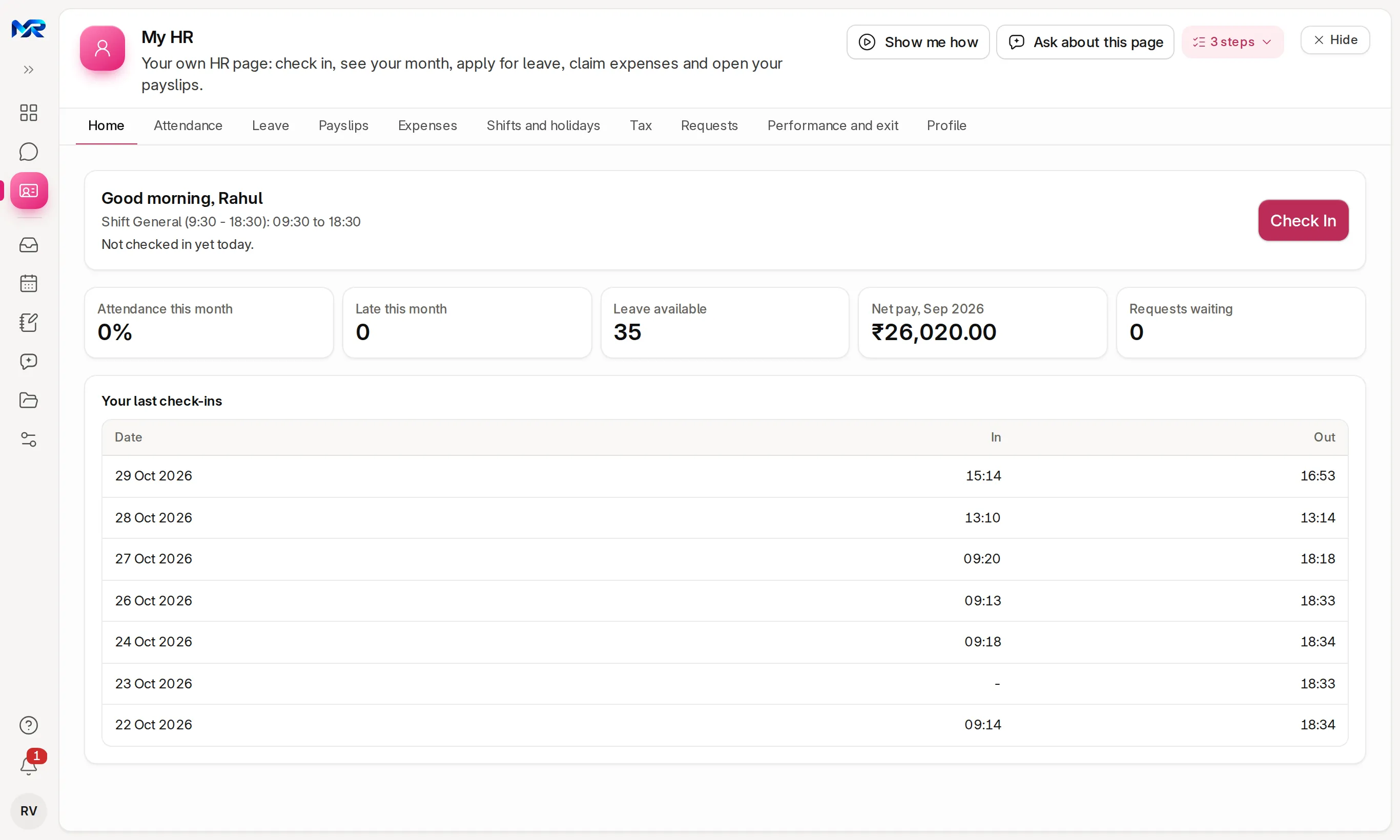
Today's shift, the Check In button, this month's figures, the last check-ins and company announcements.
-
Attendance and shiftsWorks today
The month day by day, Regularise a missed day, ask for work from home or on duty, see your shifts, request a shift change and read the year's holidays.
-
LeaveWorks today
The balance per leave type, Apply for leave with half days, and the rules answered in place — a holiday, an overlap or more days than available.
-
ExpensesWorks today
A new claim with a bill photo, several expenses in one claim, and "Ask for an advance". Each claim shows pending, approved or rejected with the reason.
-
PayslipsWorks today
Net pay by month for the year, and each month's slip with year to date for April–March, as a PDF.
-
TaxWorks today
A projection from the latest payslip, and declarations and proofs sent to HR for checking.
-
RequestsWorks today
Comp-off for working on a holiday, leave encashment, and changes to your own details sent to HR. A wrong IFSC is refused at once.
-
Performance and exitWorks today
Your appraisals and goals, and a resignation sent to HR with the exit status.
-
My teamWorks today
For managers who approve requests. Who in the team is in today, and their requests to approve, or reject with a reason.
-
Private by designWorks today
Nobody can list other employees, their leave or their slips from My HR. The lists are limited on the server.
Said plainly
Not there yet
- An app from the app stores. My HR works in any phone browser and installs to the home screen.
Questions
Questions people ask
Something else on your mind?
Ask us anything about it. A person from our team replies.
Ask a question01Do we pay for each employee's login?
No. Users are unlimited on every module, so every employee can have My HR.
02Is there an app to download?
No download is needed. My HR works in any phone browser and can be added to the home screen, where it opens like an app.
03Can employees see each other's salaries?
No. My HR only ever shows and changes the signed-in person's own record. That is enforced on the server.
04Can an employee check in without network?
Yes. The check-in is queued with the phone's time and sent when the connection returns.
05Can employees change their own bank account?
They send a change request to HR from My HR. HR approves it; an IFSC in the wrong format is refused straight away.
Last updated Applies to MyRecords 3 Nov 2026 release
Next step
See it on your own numbers.
A live demo on our sample company, with our team. Or ask us for a quote first.
Live demo
Book a walk-through
- On our sample company, for your kind of work
- A quote for the modules you need
- Your questions, answered by our team